What should you agree with a freelance instructor before they start?
What needs agreeing before the first class is about how the work runs: what the pay is calculated on, which days, hours and classes the instructor teaches, what happens to a class they cannot make, which day they are paid, and how much notice either side gives before parting ways. Once these answers are talked through and written down, there is nothing left to argue about at the end of the month.
- The pay model and the amount
- The classes, days and hours they teach
- Who covers a missed class, and how many hours of notice are given
- Which day pay is settled
- How much notice either side gives before parting ways
At the end of this conversation, put it into a written agreement and ask an accountant about the tax and insurance side; this guide covers only how the studio runs.
Which pay model suits a freelance instructor?
With a freelance instructor a model tied to the work actually done is usually chosen: per class, per participant or a share of revenue. A fixed monthly or weekly salary suits an instructor who is tied to set hours and carries the studio schedule. Whichever model is chosen, the input is attendance: a class that did not happen does not reach the pay.
- Per Class: a fixed amount for every class held, whatever the attendance
- Per Participant: an amount for every member who attends, tied to attendance
- Revenue Share: a percentage of the class value of their classes
- Monthly Fixed and Weekly Fixed: for an instructor who carries set hours
A bonus can be added on top of the model; it is a separate line, so removing it leaves the base pay unchanged. When picking the model, look at which hours the instructor will teach too: per participant pay can be risky for the instructor in quiet hours, and per class pay can be expensive for the studio in busy ones.
The five models in detail: Instructor Pay Models
How do you set up substitute instructors?
A substitute system works when it is settled in advance how much notice an absent instructor gives and who can cover each class. When an instructor cannot come, that day's session is given to the substitute; the change applies to that session only and the series stays as it was. The class counts toward the substitute's pay under their own model and leaves the original instructor's.
Keep a substitute list ready
Decide for each class which instructors can teach it; the specialty classes on an instructor's record are kept for exactly this.
Set the notice period
Agree at the start how many hours ahead an instructor who cannot come must say so.
Change the session's instructor
Apply the change to that session only; the series and the following weeks stay with the original instructor.
Check the pay
The class counts toward the substitute's pay under their own model; at month end a look at both instructors' figures is enough.
| Instructor | Own classes | Covered | Month pay |
|---|---|---|---|
| Instructor A (handed over 2) | 14 | 0 | 16,800 TL |
| Instructor B (substitute) | 10 | 2 | 14,400 TL |
The figures are an example and assume both instructors are on the Per Class model at the same rate. If the substitute's model differs, the covered class is calculated on their own model; for a substitute paid per participant, the number of members who came to that class decides it.
With your own numbers: Instructor pay calculator
How do an instructor's unavailable hours go into the calendar?
A freelance instructor often teaches elsewhere too, so the hours they are not available go into the calendar as an instructor block. A weekly block covers hours that repeat every week, a date-range block covers one-off leave. Once the block is in, no session can be given to the instructor in those hours, and booking them into two sessions at once is refused as a clash.
- Weekly block: the same days and hours every week, for example Tuesday 14:00-18:00
- Date-range block: one-off spans such as leave or travel
- When a block is added, the planned sessions it affects are listed for confirmation
- Blocks can also be entered while the instructor record is created
A block only helps while it is current. If the instructor's outside routine changes from term to term, reviewing their blocks together at the start of each term saves whoever builds the schedule from surprises later.
Where does an instructor see their own schedule and earnings?
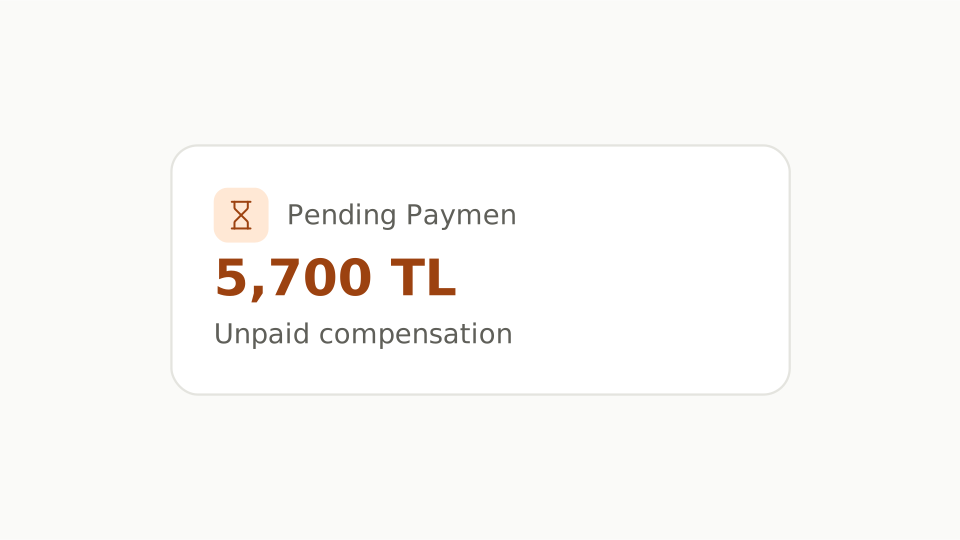
The instructor sees the studio calendar from their own account and can filter it to their own classes. Their own panel shows the classes taught and still to come this month, the month's pay, the unpaid balance and the pay terms in force. They can also open the expected earning of an upcoming class. Seeing the figure from the same source as the studio cuts down month-end questions.
- Classes held and still planned this month
- The month's pay, line by line
- The unpaid balance
- The pay terms in force, such as the per-class amount and any bonus
- The expected earning of an upcoming class
On their own profile an instructor can change only their name, title and phone; the pay definition, role and employment dates stay with the Owner and Admins.
In the glossary: Instructor pay
What access should a freelance instructor get?
The Staff role is usually enough for a freelance instructor: the calendar, bookings, attendance, members, package sales and taking payments are open; classes, rooms, package definitions, staff and pay definitions, studio finance and settings are closed. Those are open to the Owner and Admins, who also record staff payouts. Only the Owner, who opened the studio, can give the Admin role; it usually goes to partners or whoever runs the studio alongside them.
- Staff
- The calendar, bookings, attendance, members, package sales and taking payments. Usually enough for a freelance instructor.
- Admin
- All of that plus classes, rooms, packages, staff and pay definitions, staff payouts, studio finance and settings. Only the Owner, who opened the studio, can give the Admin role; the branches stay with the Owner too.
Whatever their role, a session's own instructor can always take that session's attendance. So no extra access is needed for an instructor to take attendance.
What happens when an instructor leaves or takes a break?
Every instructor has a start date, and a leave date is entered when they go. Pay is calculated only for days inside that period; a Monthly Fixed salary is pro-rated by days for an instructor who starts or leaves mid-month. On leaving, future sessions are either handed to another instructor or canceled with a reason, and the past record is never deleted.
- Start date: the day pay starts counting
- Leave date: the day pay stops
- Future sessions: handed to another instructor or canceled with a reason
- Past classes and payments stay on record
For an instructor taking a break, a date-range block for the length of the leave can be used instead of a leave date; the record stays active and they come back to the schedule where they left off. For a final departure the leave date is entered and the last month is paid up to that day.
How do you work with a freelance instructor in Dakik?
In Dakik the instructor is added as a staff record, opens their account through an email invitation and sees the screens their role allows. Pay is defined with one of five pay models, and a change takes effect from a date as a new definition. Unavailable hours are entered as instructor blocks. The instructor sees their own schedule, monthly pay and unpaid balance from their own panel.
- The staff type is chosen as instructor, administrative or other
- Role: Staff or Admin; the Owner gives the Admin role
- Pay definitions are dated; past months do not change with a new one
- Pay is recalculated from attendance every time it is opened
- A payment is entered in the books as a Staff Payout expense
- The Owner and Admins can also open an instructor record of their own and define its pay
On the features page: Instructor Pay
Frequently asked questions
How do you avoid clashes for an instructor who also teaches at other studios?
The hours the instructor keeps for other work go into the calendar as a weekly instructor block, every Tuesday and Thursday afternoon for example. The block stops sessions being given to the instructor in those hours, so whoever builds the schedule does not have to remember their outside calendar. If their routine changes, only the block is updated.
How is a payment to an instructor recorded?
The Owner or an Admin records the payment as a Staff Payout expense and picks the account it is paid from. The same record comes off the instructor's unpaid balance. An instructor in the Staff role cannot record payments; they follow their own pay and unpaid balance from their own panel.
When an instructor's pay changes, are past months recalculated?
No. The new pay is added as a new definition with the date it takes effect, and the old one stays in the past. Every day and every class is calculated on the definition in force on its own date, so after a mid-month change the month total is the sum of the two definitions.
How does an instructor sign in to Dakik?
An invitation goes to the email address entered when the staff record is created. With it the instructor sets their own password or connects a supported social account, and from then on signs in with their own account. If the invitation has expired, the Owner or an Admin can send it again.