Skip to content

From the schedule to the cash box, one panel

Five screens take the place of a studio's five separate ledgers: the schedule, member packages, make-up and freeze, instructor pay and the finance summary.

Schedule

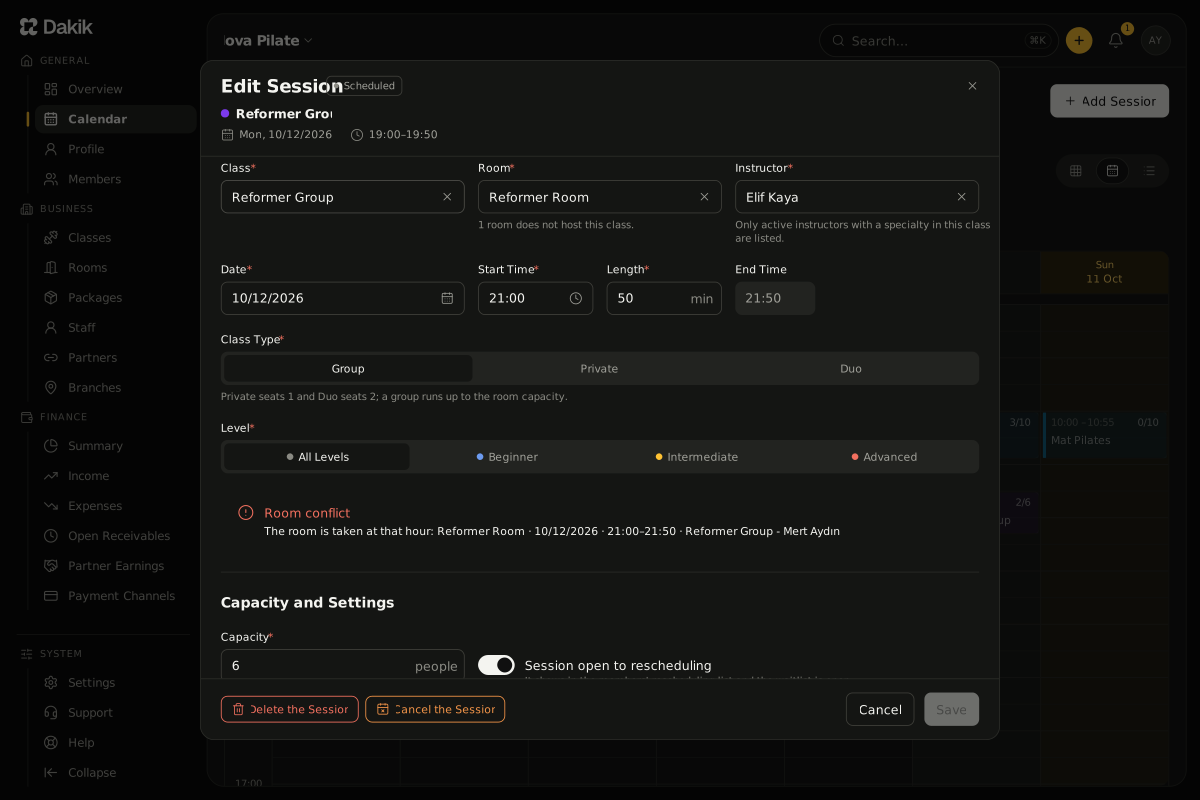
The weekly schedule catches room and instructor conflicts before you ever save; moving a session takes one drag and drop.

  • Weekly view: the class, the room, the instructor and the occupancy (4/6) on one card
  • Room and instructor conflict checks, blocked hours included, before you save
  • Drag-and-drop moves; on a recurring session, a question - this session only, or the ones after it too
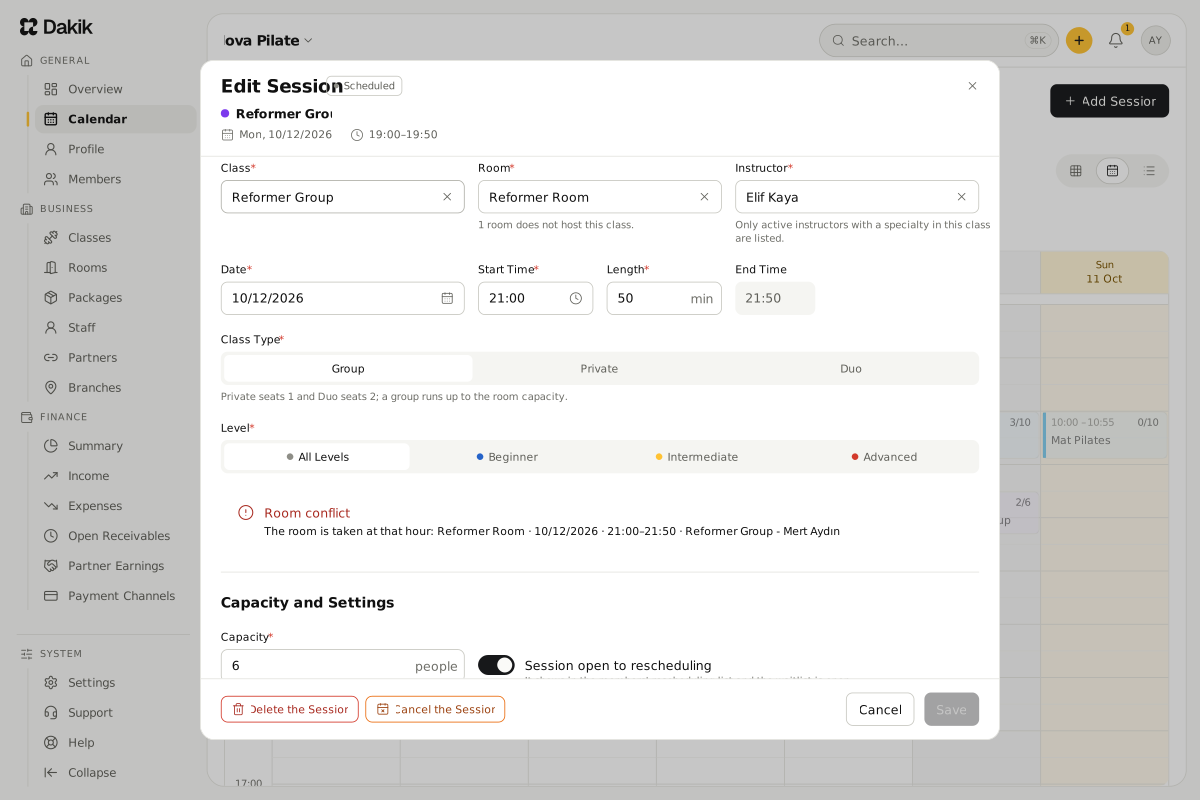
The Edit Session dialog: the class, room, instructor, date and time of a Reformer Group session; moved to 18:30, it lands on a Reformer Room that is already taken, so a red Room conflict warning shows and the Save button stays disabled.The Edit Session dialog: the class, room, instructor, date and time of a Reformer Group session; moved to 18:30, it lands on a Reformer Room that is already taken, so a red Room conflict warning shows and the Save button stays disabled.

Member Packages

Credit, Duration and Trial packages all run off one definition; a booking holds a class credit, which leaves the package once attendance is taken or the class takes place.

  • Three package types: Credit (8 classes, say), Duration (unlimited for a month) and Trial (once only)
  • A credit is held at booking and used at attendance or once the class takes place; a cancellation inside the rule returns it to the Make-up Pool
  • A weekly class limit on Duration packages; "Awaiting Package" records turn into bookings as soon as a package is added
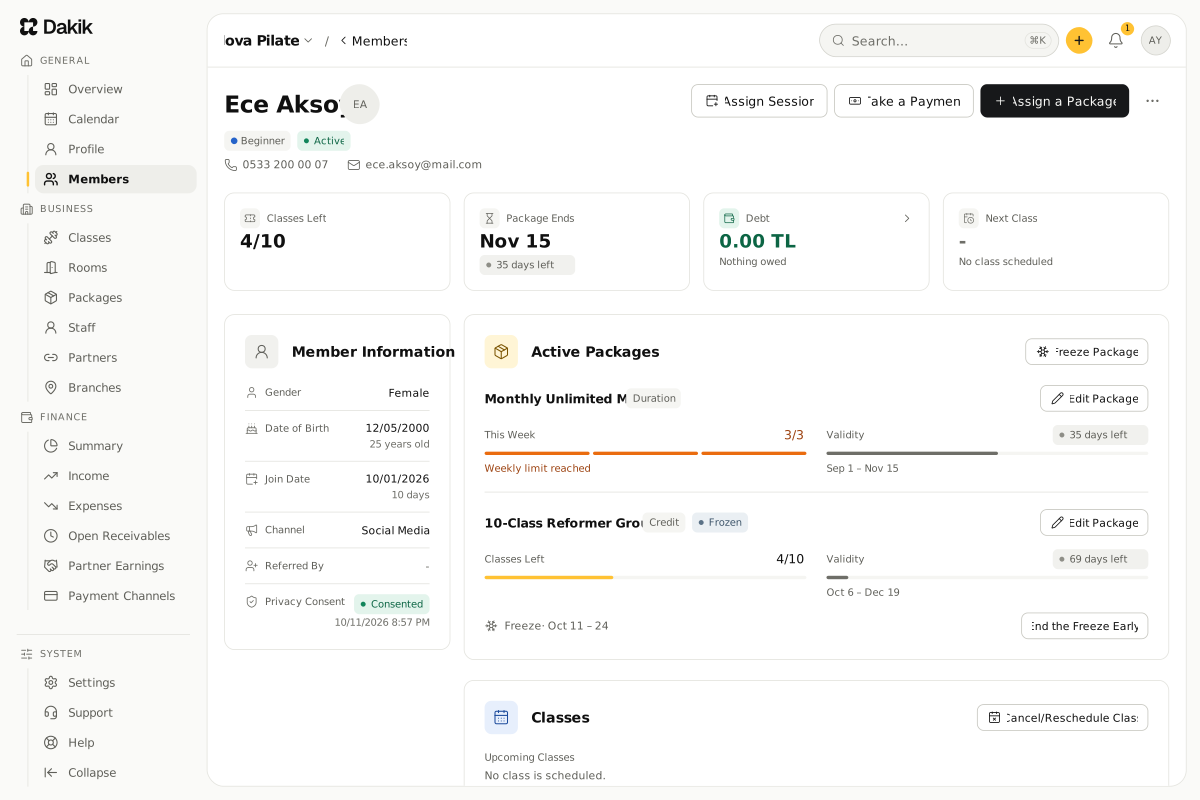
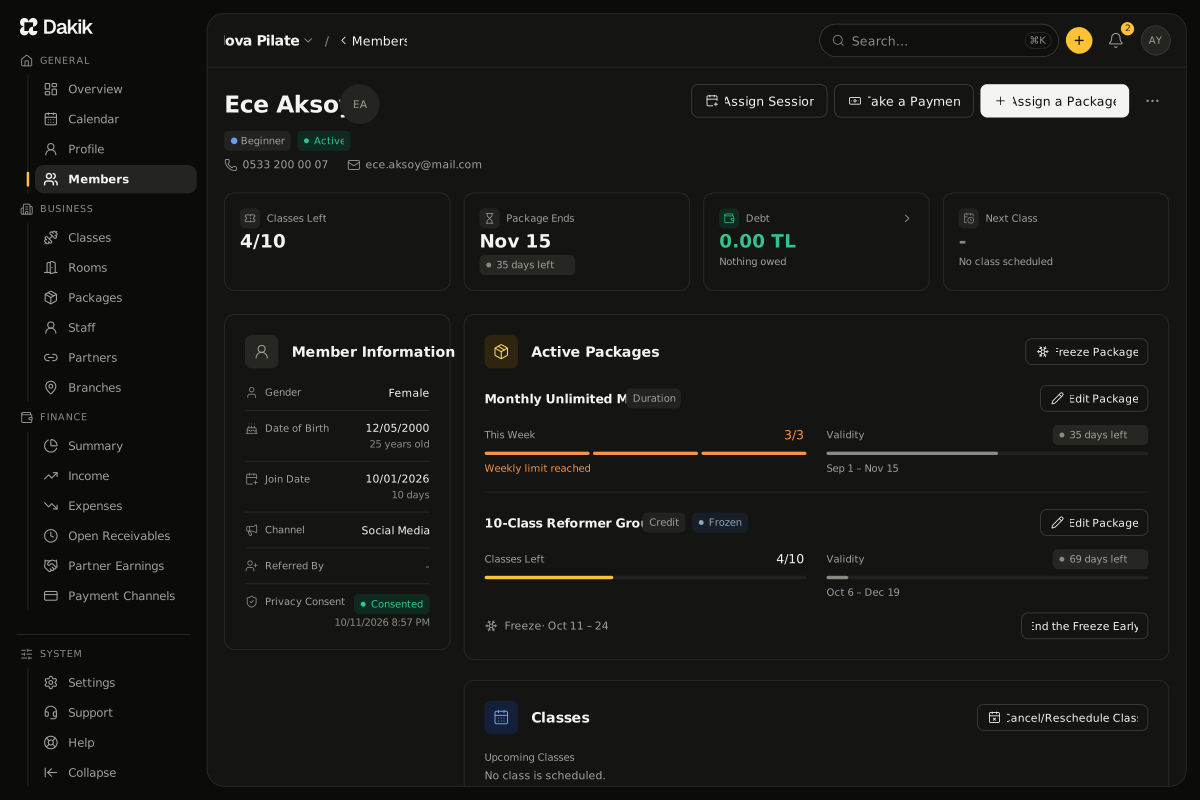
The member details screen: cards for classes left, package end, balance due and next class; under Active Packages a Monthly Unlimited Mat with its weekly limit reached and a 10-Class Reformer Group package frozen for two weeks, with an End the Freeze Early button; beside them the health note and personal details.The member details screen: cards for classes left, package end, balance due and next class; under Active Packages a Monthly Unlimited Mat with its weekly limit reached and a 10-Class Reformer Group package frozen for two weeks, with an End the Freeze Early button; beside them the health note and personal details.

Make-up Pool and Freeze

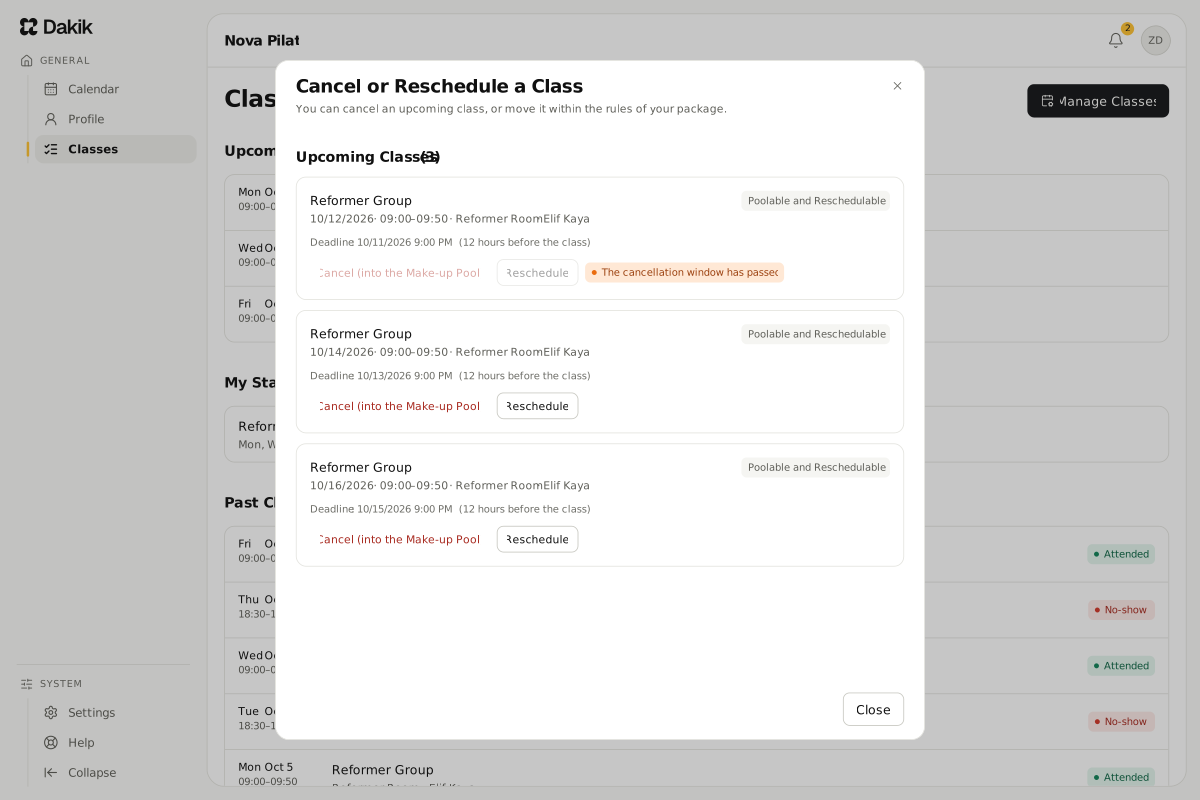
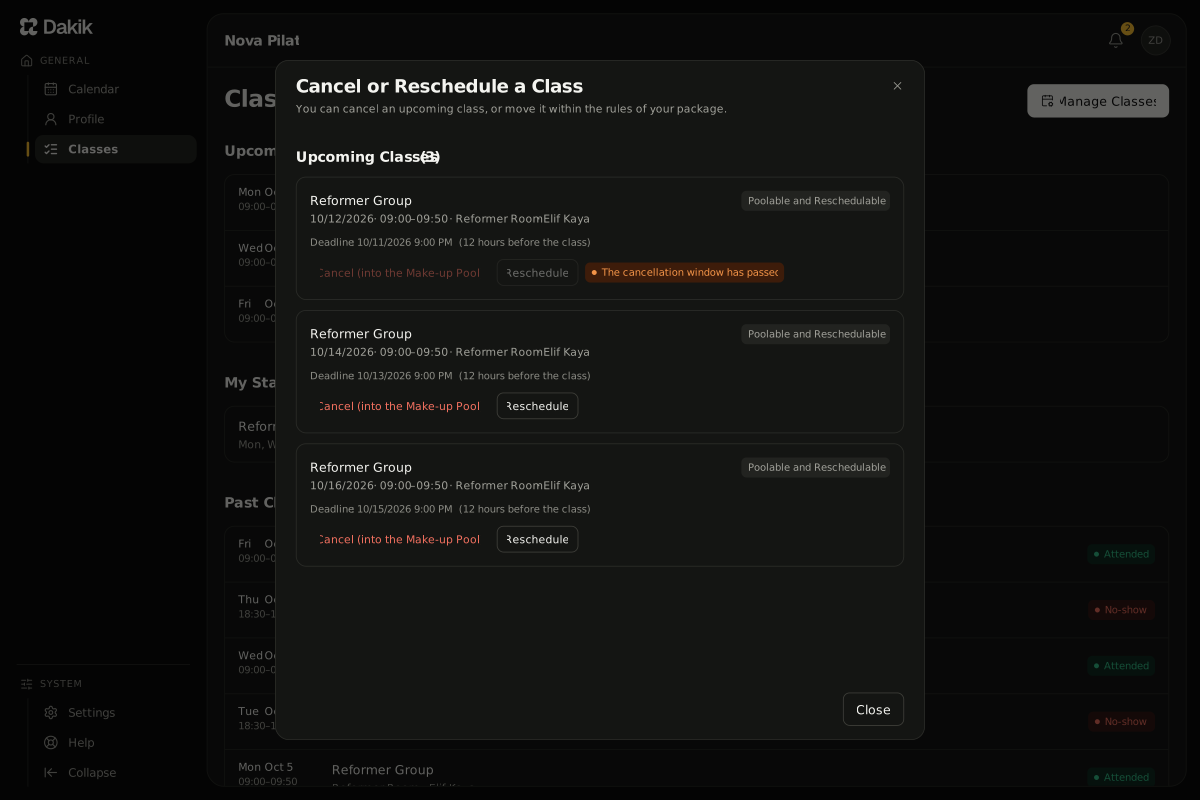
The cancellation rules live in the package definition; a member cancels inside them from their own panel, plans the make-up and freezes the package.

  • A cancellation rule per package: how many hours ahead, how many times a week, whether a make-up is allowed
  • The make-up window: a canceled class drops into the pool and is rescheduled inside that window
  • Freezing a package: the end date moves out by exactly as long as the freeze lasted
The Cancel or Reschedule a Class dialog in the member panel: for each upcoming class the deadline 12 hours before it, a Poolable and Reschedulable tag and the Cancel (into the Makeup Pool) and Reschedule buttons; a class past its deadline can no longer be canceled.The Cancel or Reschedule a Class dialog in the member panel: for each upcoming class the deadline 12 hours before it, a Poolable and Reschedulable tag and the Cancel (into the Makeup Pool) and Reschedule buttons; a class past its deadline can no longer be canceled.

Instructor Pay

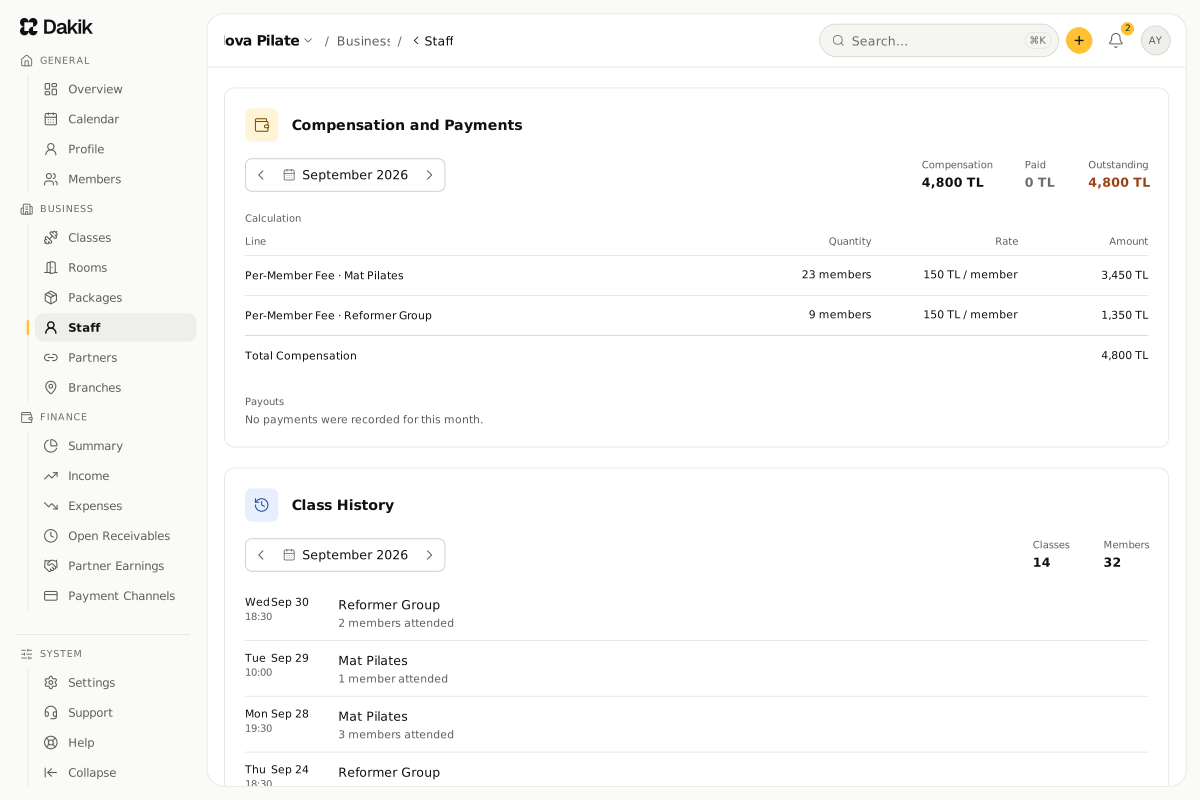
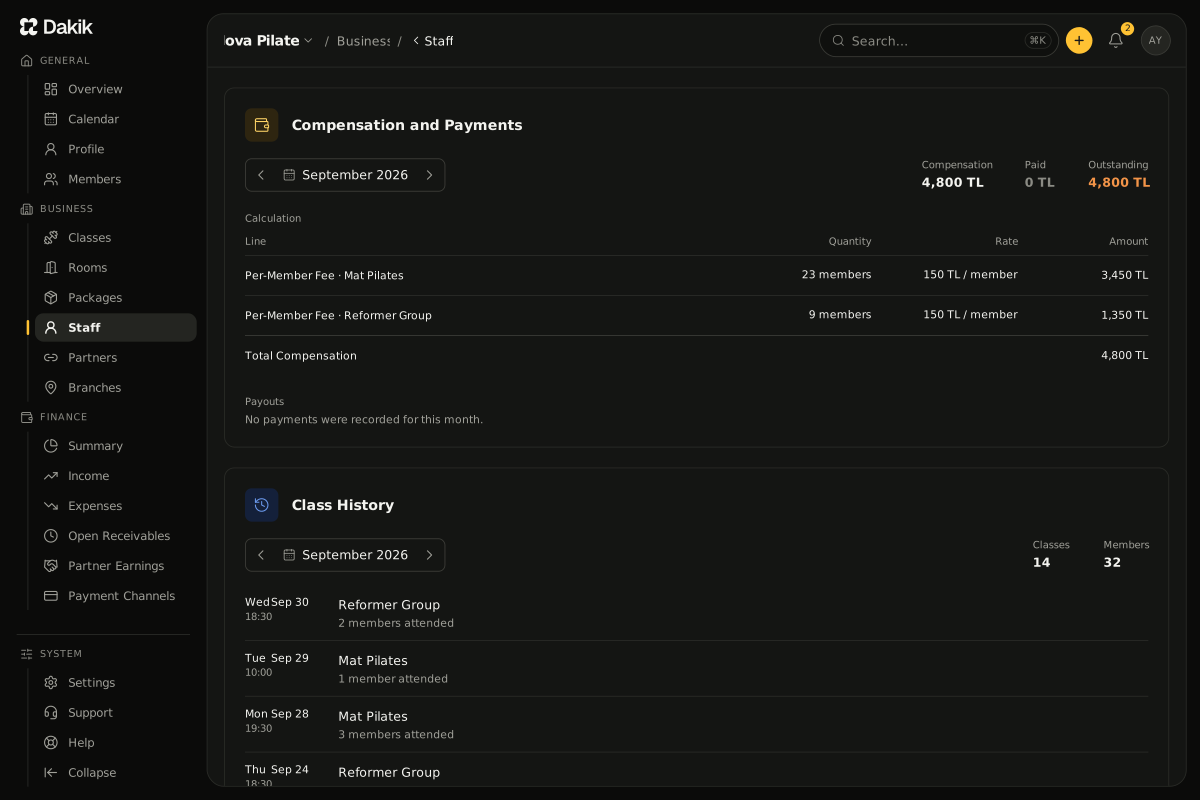
Pay is calculated from attendance on its own: one figure per instructor each month, with the unpaid balance always in view.

  • Five models: Monthly Fixed, Weekly Fixed, Per Class, Per Participant and Revenue Share
  • Calculated automatically each month; a definition that changes mid-month applies from each class's own date
  • The unpaid pay balance, and "Pay the Instructor" in one click
The Compensation and Payments card of the staff details, last month: compensation, paid and outstanding beside the month picker; a calculation table with a Per-Member Fee line, 33 members at 150 TL per member; no payouts yet. Below it the same month in Class History: the class and member counts, each class with its date and the members who attended.The Compensation and Payments card of the staff details, last month: compensation, paid and outstanding beside the month picker; a calculation table with a Per-Member Fee line, 33 members at 150 TL per member; no payouts yet. Below it the same month in Class History: the class and member counts, each class with its date and the members who attended.

Finance Summary

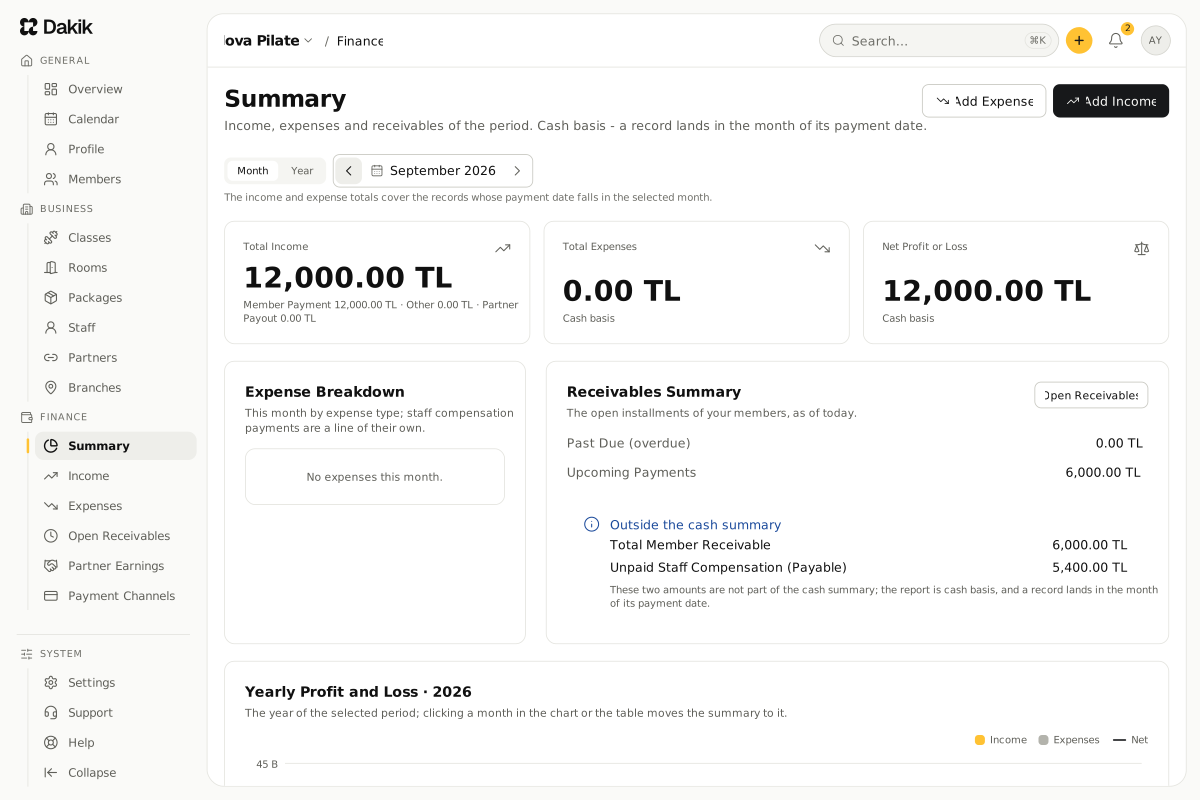
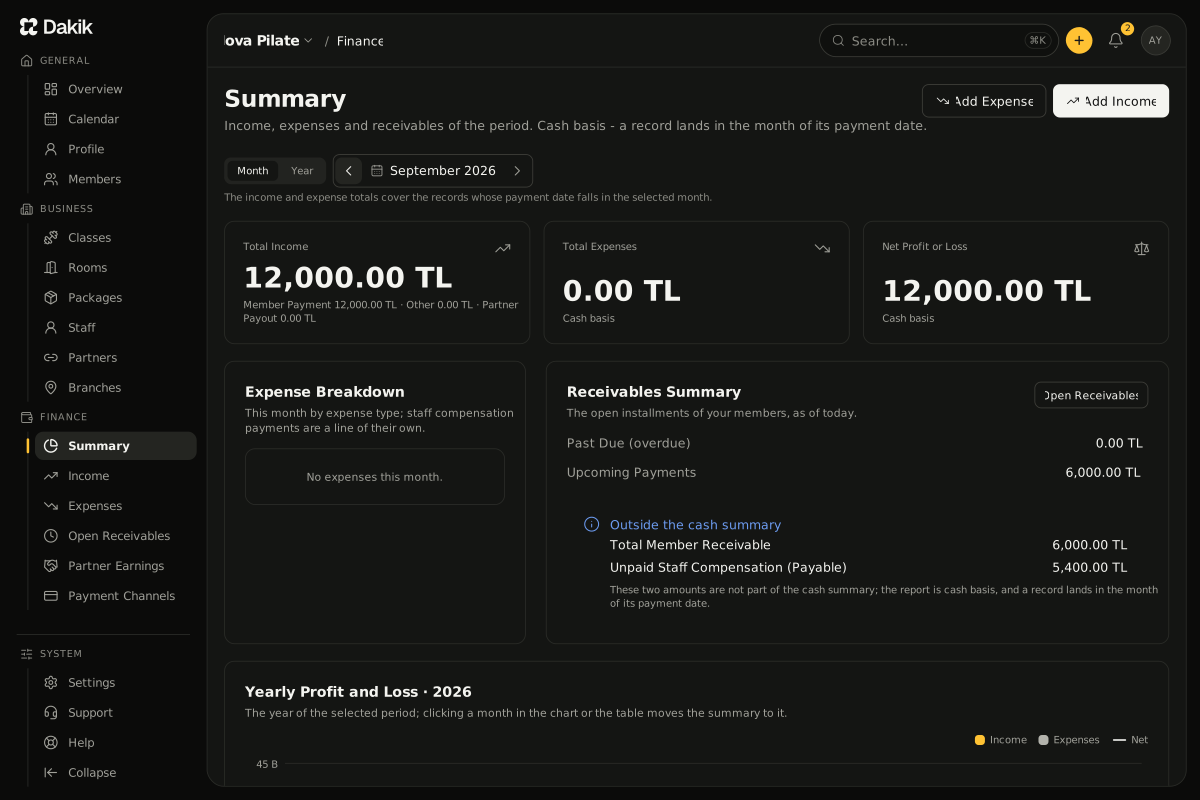
Cash-basis finances: income, expenses and installment debts in one place, with monthly and yearly profit and loss falling out on their own.

  • Income and expense records, together with the payment method and the account balances
  • Installment debt tracking: installments due, part-paid and overdue
  • Monthly and yearly profit and loss, the last 6 months of income against expenses, and CSV export
The Finance › Summary page, last month: total income, total expenses and net profit or loss cards; the Expense Breakdown by type; the Receivables Summary of past-due and upcoming installments and the amounts outside the cash summary.The Finance › Summary page, last month: total income, total expenses and net profit or loss cards; the Expense Breakdown by type; the Receivables Summary of past-due and upcoming installments and the amounts outside the cash summary.

WHEN YOU ARE READY

Less admin, more movement.

Members, packages, the schedule and instructor pay in one panel from day one.

Start FreeSee the Demo

First 30 days free · No credit card required