Why do requests from people with no record get lost?
These requests come from people the system knows nothing about: someone who drops in to ask about a trial class, a pair of friends waiting for a certain time, a caller asking prices. With no record they appear on no list. When the person who heard it ends their shift or the slip of paper goes missing, the request goes too, and nobody calls when the class they wanted opens.
- The request goes on paper, in a notebook or in a message on one person's phone, and the rest of the team never sees it
- The person's phone is not taken, or is written somewhere apart from the request, so nobody knows whom to call when the time comes
- No follow-up day is written down, so nobody remembers the request when the class it was for opens
- The request is not closed once it is met, so the same person is called twice, or not at all
How should a request be written down?
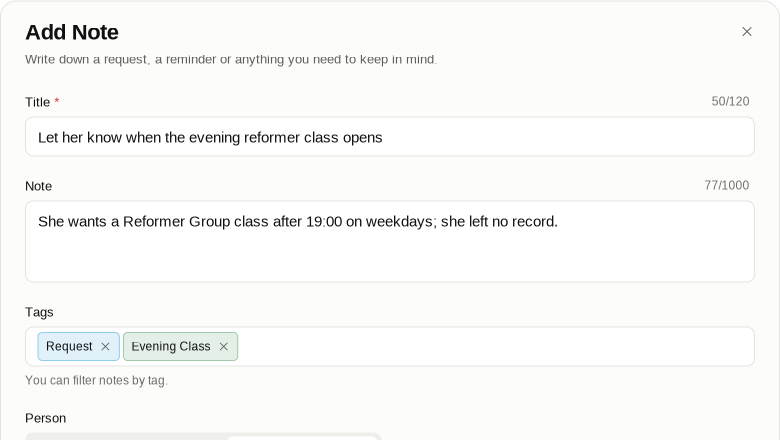
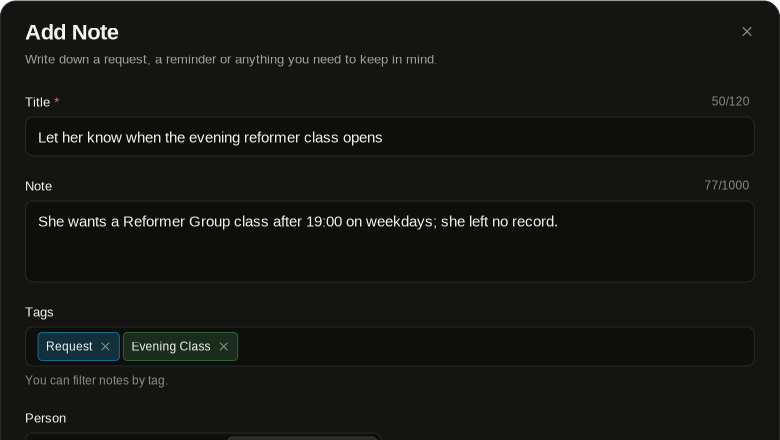
A good request note carries four things: who asked, what they want, how to reach them and what it is about. The title states the request itself, the name and phone go in their own place, and the details go in the note. One or two tags let you find requests of the same kind together later, for example every ask for an evening slot on one list.
Make the title the request itself
Like "Let her know when the evening reformer class opens"; anyone scanning the list knows what was asked without opening the note.
Write the person down by name and phone
Put the name and phone of someone with no record in the person field, not inside the request; a search then finds them by number too.
Add the details to the note
Which days suit them, how many are coming, what budget was discussed: whatever the person calling back needs to know.
Give it one or two tags
Short tags you will use again, like "Request", "Evening Class" or "Reformer Duo"; do not open a new tag for every request.
Agree on the tags as a team. Three different tags for the same thing make the filter useless; a handful of fixed tags lists every request in a couple of clicks.
When should you get back to a request?
The follow-up time depends on the kind of request and is best decided as the note is written. Someone asking about prices or packages is called the same day or the next; someone waiting for a particular class is called the day it goes on the schedule; someone coming back after a vacation is called a few days before they return. A follow-up nobody is reminded of usually never happens.
| Request | When to follow up | Reminder |
|---|---|---|
| A price or package question | The same day or the next | Once, the next morning |
| A particular class or time | The day it goes on the schedule | Once, on the planned opening day |
| Back after a vacation or an injury | A few days before they return | Once, before they return |
| Coming with a friend | Once a time suits both | Once, when the schedule is ready |
| An equipment or maintenance job | At a regular interval | Every week or every month |
Set the reminder for whoever will make the call, not whoever heard the request. If the studio owner will call back a request heard at the desk, the notification should go to them.
If the person who asked came to a trial class:: Turning Trial Classes into Members
How do you keep team notes and shift handovers?
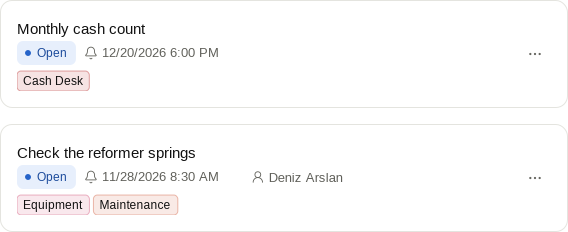
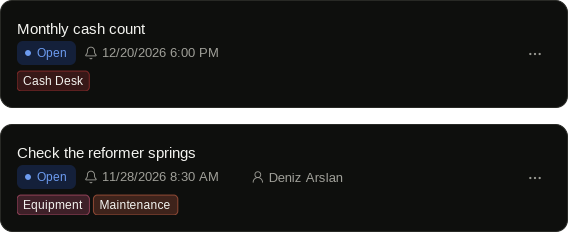
Everything the team should know belongs where everyone can see it, not in the head of whoever said it: a broken piece of equipment, a change of instructor, a job for the morning opening. A note is tied to the person it concerns and marked as done once the job is finished. The next shift then sees what is still open without asking, and nothing gets done twice.
- Show who wrote a note and when, so it is clear whom to ask
- Tie a note about a staff member, such as a class swap, to that person, so they find it easily
- Keep a reminder only you need to see out of the team's list, as a note visible to you alone
- Mark a note as done once the job is finished, so the open list holds only work that is really open
- Class and package reminders to members are not team notes; they go out as automatic messages
How are requests and team notes kept in Dakik?
In Dakik, requests and team notes are kept on the Notes page. Each note is tied to a member, a staff member or an unregistered person by name and phone, takes tags, and can carry a reminder that arrives as a notification. The unregistered person can later become a member or a pre-registration in one step, right from the note; a pre-registration is then followed by status and Follow-up Date.
- Add Note opens from the Notes page, the Dashboard header, the "+" menu, a member's page or the search
- Person picks None, Member, Staff or Unregistered Person; for an Unregistered Person you write a name and, if you like, a phone
- Tags are typed freely, up to 10; every tag shows in its own color and the Tag filter narrows the list
- With Set Reminder on you pick Once, Every Day, Every Week or Every Month; the notification reaches you and up to 20 colleagues
- Mark as Completed takes the note off the list and pauses its reminder; Reopen carries on where it left off
- Register as Member and Turn into Pre-Registration carry the person's name and phone into the right window
- In Pre-registrations the person is followed as New, Contacted, Trial Class, Became a Member or Lost, with a reminder at 10:00 AM on the Follow-up Date
Notes and request tracking in Dakik:: Notes
Frequently asked questions
Is a notebook not enough for requests?
In a small studio run by one person it can be. Once more than one person works the desk, the notebook leaves with whoever wrote in it; it cannot be searched, nobody is reminded of the follow-up day, and nobody knows when a request was closed.
Is it right to note the phone of someone with no record?
If the person asked you to get back to them and gave their number for that, use it only for that call and do not share it outside the team. If they do not join and the request is closed, deleting the note is the cleanest way.
Which tags should I use?
Start with a few fixed tags that name the kind of request: Request, Evening Class, Price, Freeze, Equipment. The more tags there are, the harder the filter gets; if a tag is not used even once a month, drop it.
Should a request that was met be deleted or completed?
Completing it is better. A completed note leaves the list but its history stays, so when the same person asks again months later you can see what was said. Delete only notes written by mistake or about someone who does not want their details kept.